

A giveaway post that gets entries puts the prize first, says "enter to win" in big, clear type, and keeps the fine print (dates, location, "no purchase necessary") readable but small. Use a hook people already care about, like concert tickets, a big name or a cash voucher. Then design a short series around it: a teaser, the main post in a few variations, and a last-chance reminder.
I've designed ticket giveaways for Pristine Home Care, a Philadelphia home care company, including a Kendrick Lamar ticket giveaway and a Bad Bunny giveaway with Spanish-language versions. Here's the layout and thinking behind them.
The anatomy of a giveaway post
Every giveaway post needs these parts, in this order of size:
The prize. The biggest, loudest thing on the graphic.
The action. "Enter to win" or "Win free..." so nobody has to guess.
Who's giving it away. Your logo, clearly visible but not competing with the prize.
The details. Event, date, location, voucher amount.
The fine print. "No purchase necessary," plus a pointer to the rules in the caption.
If someone can't tell what they'd win and how to enter in one second, the post is too busy.
1. Lead with the prize
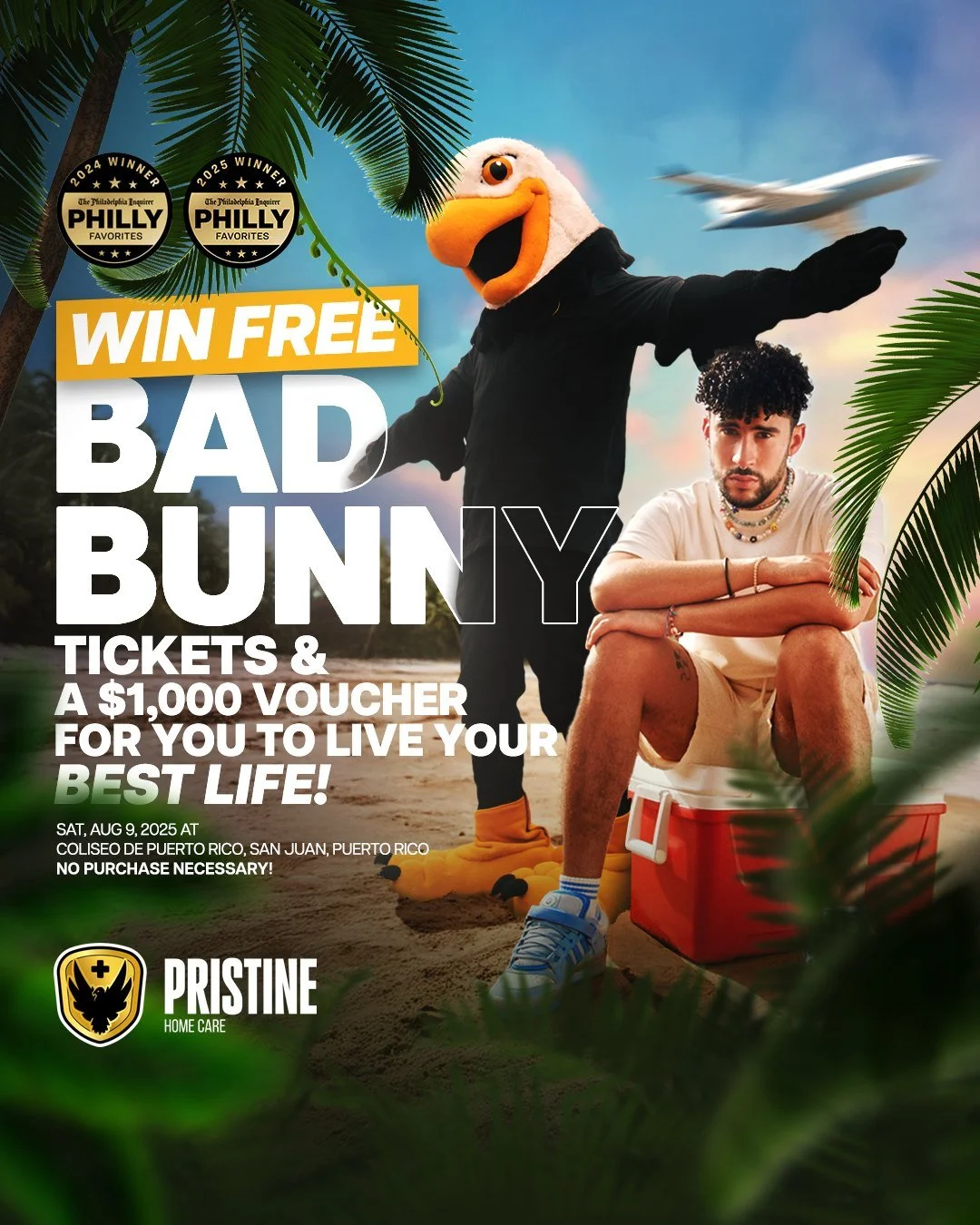
Name the prize in the headline, in the biggest type on the post: "Win free Bad Bunny tickets & a $1,000 voucher." Big names and concrete numbers stop the scroll. "Enter our giveaway!" doesn't.
For the Bad Bunny giveaway, the prize was tickets to his August 9, 2025 show at Coliseo de Puerto Rico in San Juan, plus a $1,000 voucher. The headline says exactly that, and the background sells the trip: a beach, palm trees and a plane overhead.
2. Make the visual match the prize
The scene should feel like the prize. Concert tickets get a stage, a crowd or the artist's world. A trip gets the destination. A product gets the product, big and beautiful.
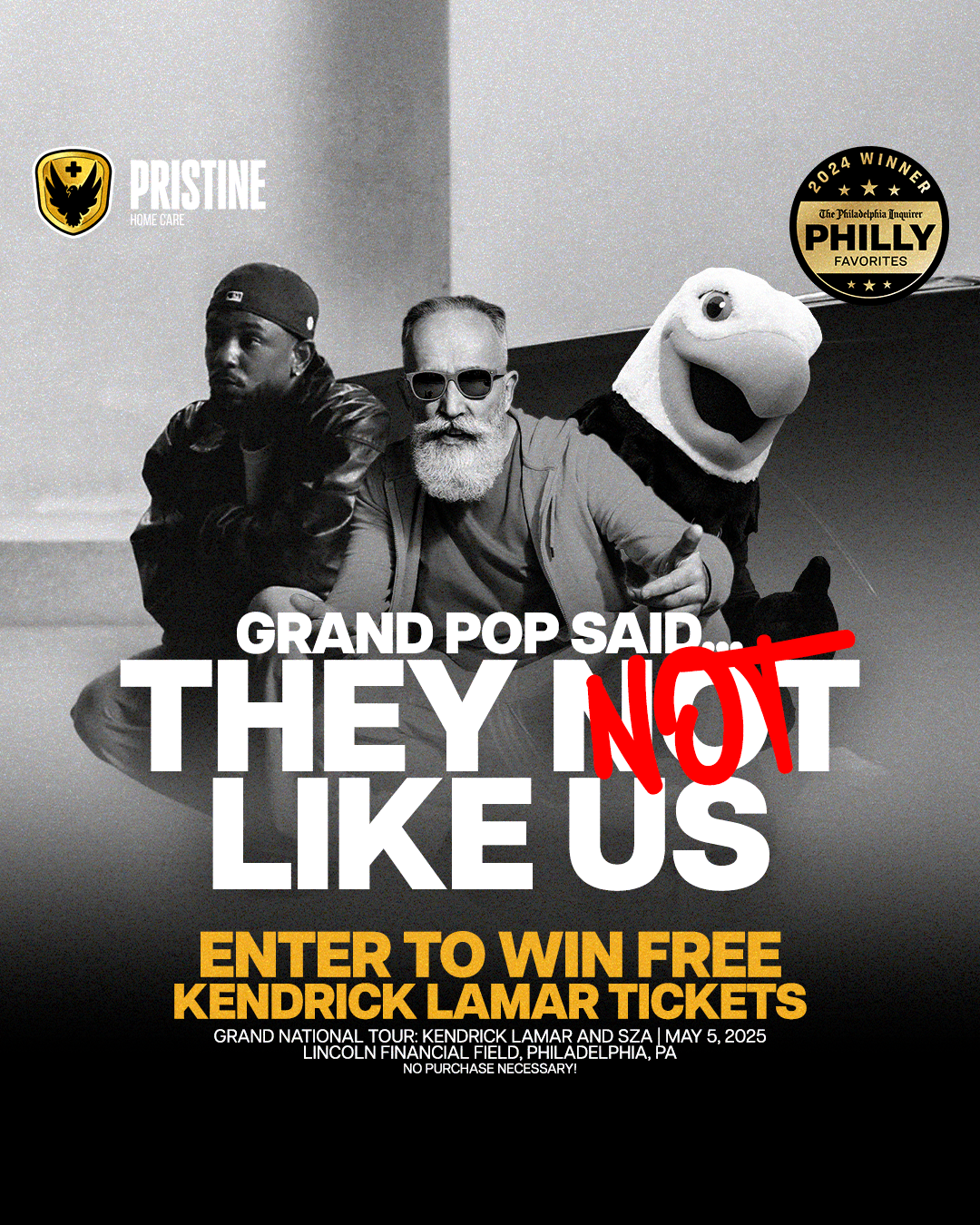
For the Kendrick Lamar giveaway, tickets to Kendrick Lamar and SZA's Grand National Tour at Lincoln Financial Field on May 5, 2025, the series played on "Not Like Us" and GNX: black-and-white photos, a black classic car, and lines like "The choice is clear, they not like us."
3. Make it yours
A giveaway is still an ad for your business. Pristine's eagle mascot is in every post, right next to the prize. Without the mascot, these would be generic concert ads. With it, people remember who gave the tickets away.
Some of the Kendrick posts went further with the joke: "Grand Pop said… they not like us," "Grandma said… they not like us." For a home care company, that's the perfect wink. It's the audience they serve, in on the joke.
4. Speak your audience's language
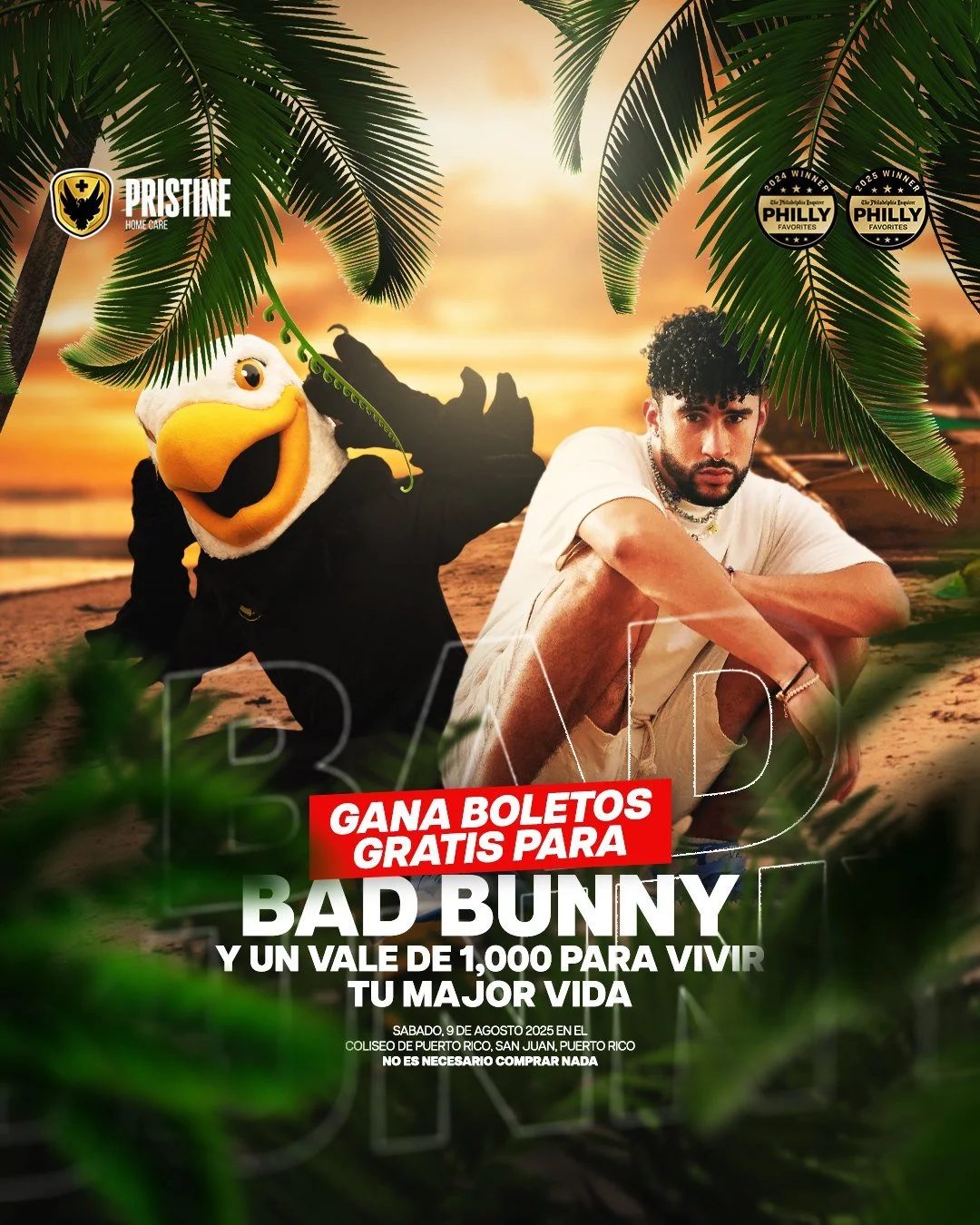
If your community speaks more than one language, design every key post in each one. The Bad Bunny giveaway had Spanish-language versions alongside the English ones: "Gana boletos gratis para Bad Bunny." Same layout, same mascot, translated headline and fine print.
Translate the whole post, including the fine print. A Spanish headline with English rules feels like an afterthought.
5. Build a series
One post isn't enough. A giveaway campaign usually needs:
A teaser a few days before: "Something's coming." For the Bad Bunny giveaway, I animated a beach teaser that ended on "Stay tuned."
The launch post with the full details.
Variations of the main post with different scenes or headlines, so the feed doesn't repeat itself. The Kendrick campaign had more than a dozen.
Stories with a link sticker to the entry form.
A last-chance reminder near the deadline.
A winner announcement (with the winner's permission).
Keep the layout, colors and type the same across the set so it all reads as one campaign.
6. Don't forget the fine print
Every giveaway needs rules, and the post should point to them. Put "No purchase necessary" and the key details (event, date, location) on the graphic in small type, and link the full rules in the caption or bio. Platforms and local laws have their own requirements for contests and sweepstakes, so check them before you launch.
Keep the fine print readable. Tiny gray text on a busy photo looks like you're hiding something.
Layout tips
Size for the feed and Stories. 4:5 for the feed, 9:16 for Stories and Reels.
One headline font, one detail font. Heavy condensed type for the prize, a clean sans serif for the details.
One accent color for the action line ("ENTER TO WIN FREE").
Keep text away from the edges in Stories, where the app's buttons cover it.
Logo in the same corner on every post.
Giveaway post ideas
Concert or game tickets with a local twist.
A cash voucher or gift card with the amount front and center.
A free service ("Win a free detail," "Win a free brand shoot").
A product bundle shot flat-lay.
A milestone giveaway to celebrate followers, an anniversary or an award.
FAQ
What should an Instagram giveaway post say?
The prize, "enter to win," who's hosting, the key dates and "no purchase necessary." Put the full rules and how to enter in the caption.
How long should a giveaway run?
Long enough to build momentum, short enough to feel urgent. A week or two is common. Post a reminder in the last day or two.
What size should a giveaway post be?
1080 by 1350 (4:5) for the feed, 1080 by 1920 (9:16) for Stories and Reels covers.
Should I make a teaser before the giveaway?
Yes, if you can. A short "something's coming" teaser gets people watching for the launch, so the main post starts with an audience.
Can you design our giveaway campaign?
Yes. I design giveaway posts, teasers, stories and short motion pieces for local businesses. See the full Pristine campaigns, my social media content work, or start a project. For carousel giveaways, read Instagram carousel design.